
Setup wizard
The setup wizard's steps and inputs, the setup API, and how a storage migration plans, backs up and rolls back.
The setup wizard creates the first config.toml and later moves Pipedash to another storage backend or data directory. It opens on first start when no config exists, and from Settings, then Storage, then Configure Storage.
When the wizard appears
On start the UI asks for the setup status. The web server answers GET /api/v1/setup/status. The answer decides which screen opens.
| Field | Meaning |
|---|---|
config_exists | config.toml exists in the data directory |
config_valid | The file parses and passes validation |
validation_errors | Error text. The UI shows a Configuration Error screen when the file exists but is invalid. |
needs_setup | No config.toml and no legacy file. The UI opens the wizard. |
needs_migration | A legacy storage_config.json exists without a config.toml |
The desktop app writes a starter config.toml before the first status check, so desktop normally reports needs_setup as false and the wizard opens from Settings. The web server starts in setup mode when no config exists.
Steps
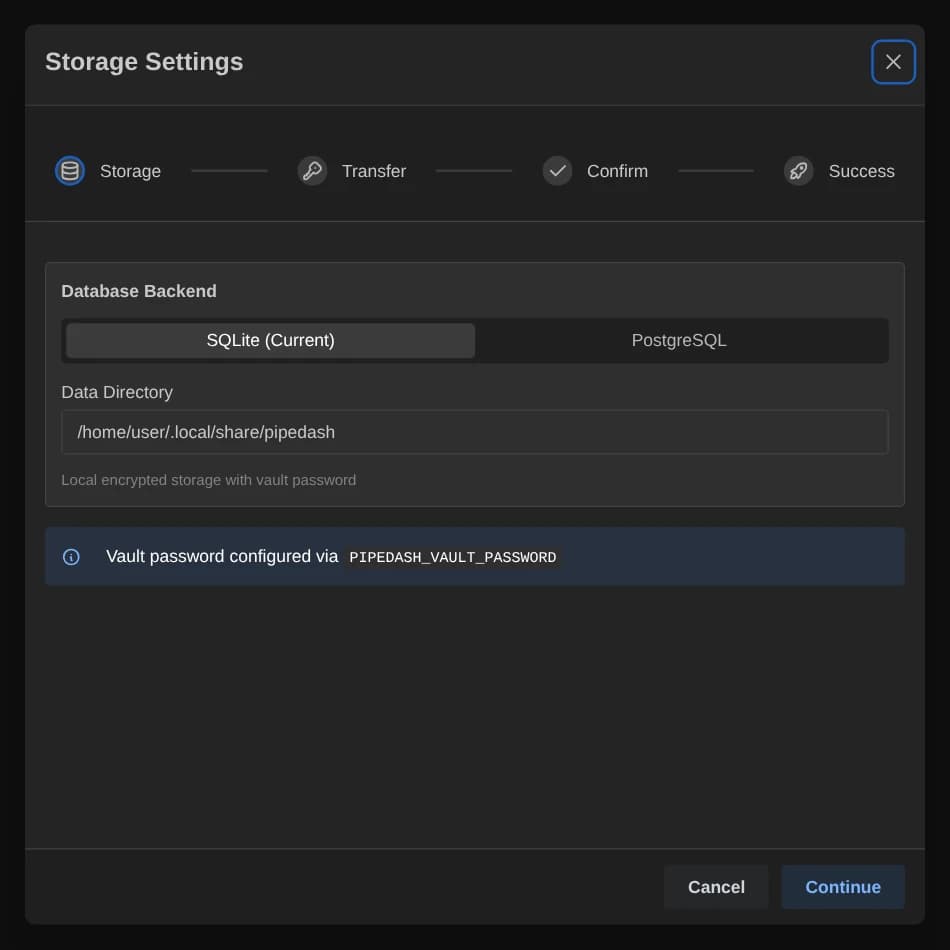
The first-run wizard has the title Welcome to Pipedash. With an existing config it has the title Storage Settings and adds a Transfer step.
| Step | Shown | Purpose |
|---|---|---|
| Storage | Always | Backend, location and vault password |
| Transfer | Only with an existing config | Transfer Data or Fresh Start choice |
| Confirm | Always | Summary and save |
| Success | Always | Result and next action |
Storage inputs
| Input | Shown | Rule |
|---|---|---|
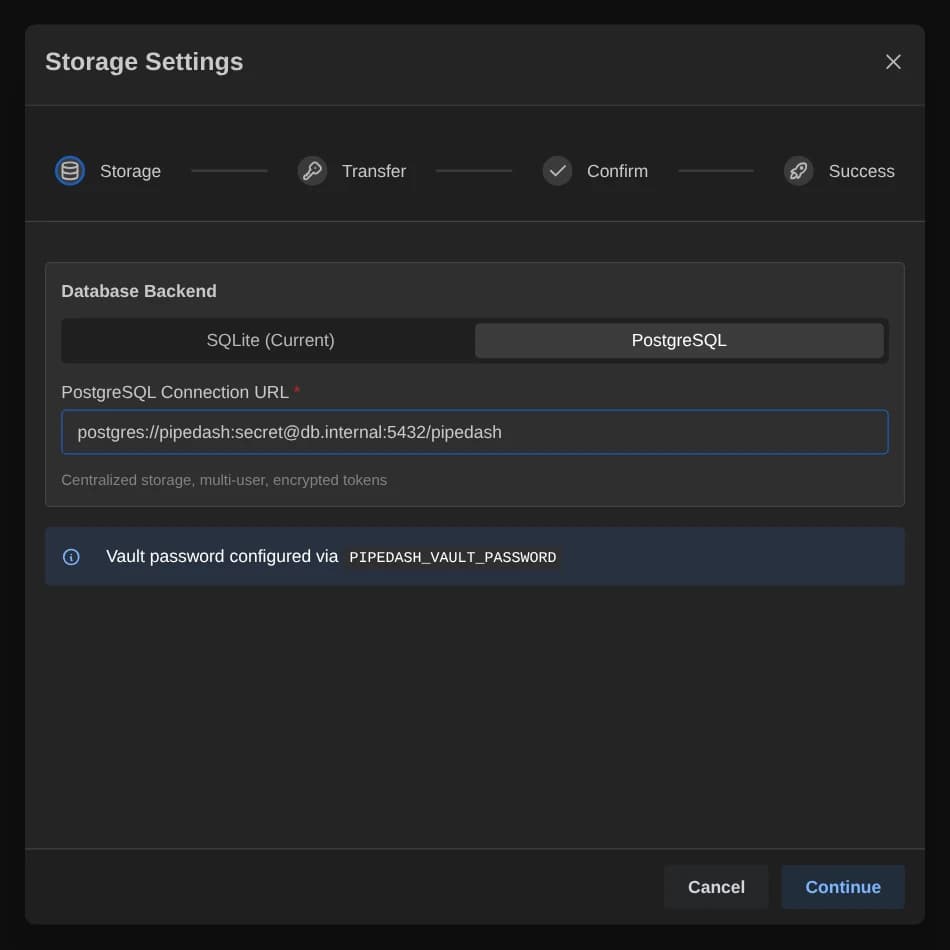
| Database Backend | Always | SQLite or PostgreSQL. The current backend carries a (Current) label. |
| PostgreSQL Connection URL | PostgreSQL | Required. The placeholder is postgresql://user:password@localhost:5432/pipedash. |
| Data Directory | SQLite | Prefilled with the default data directory |
| Vault Password and Confirm Password | Unless PIPEDASH_VAULT_PASSWORD has a value | At least 8 characters, and both fields must match |
Continue stays disabled until the PostgreSQL URL is not blank and the password rule passes. Passwords of 12 or more characters also get yellow hints for what is missing: 16 or more characters, digits, special characters or mixed case. The hints never block the step.
Transfer, confirm and success
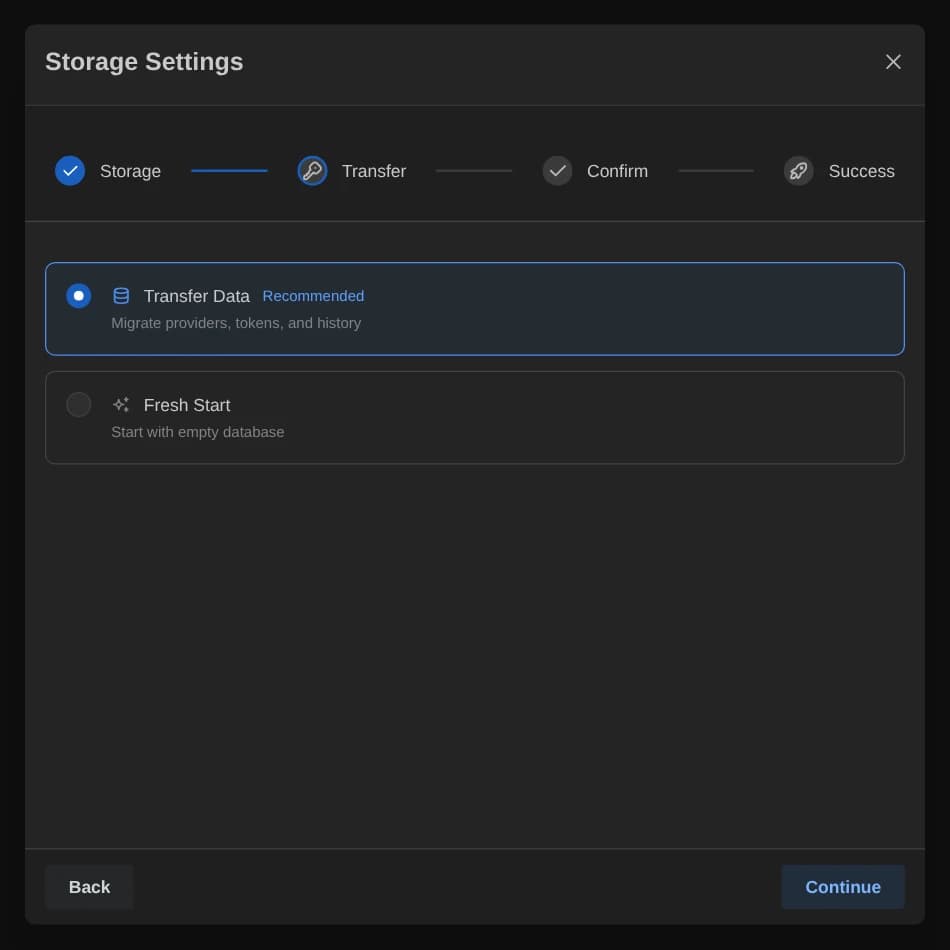
The Transfer step offers Transfer Data, marked Recommended, and Fresh Start. It matters when the backend or data directory changes, or when tokens move from the keyring to encrypted storage. In those cases Fresh Start opens a Skip Data Migration confirmation that warns providers, credentials and history stay in the old location.
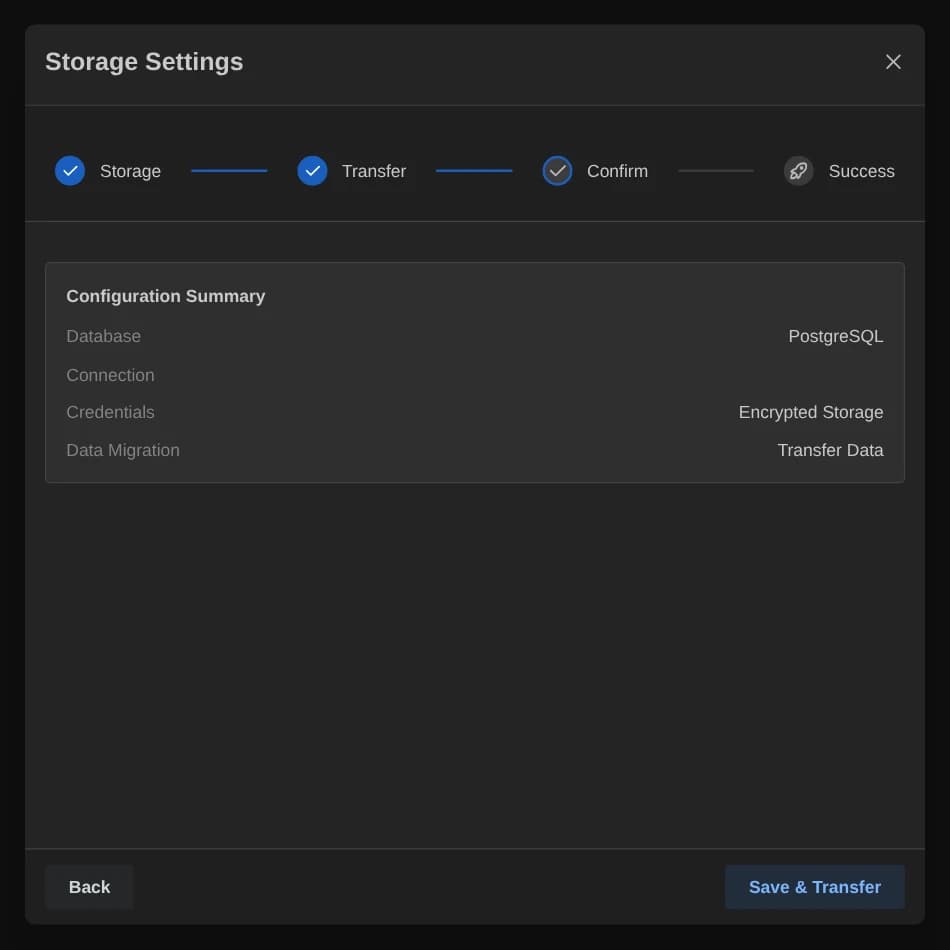
The Confirm step lists the database, data directory, credentials, vault password status and data migration choice. It also prints export PIPEDASH_VAULT_PASSWORD="..." with a copy button. The save button reads Save & Transfer when it will migrate, and Save otherwise.
The Success step reports the providers, tokens and cache entries moved and repeats the export command under Required for Next Launch. After a desktop migration it shows Restart Now. Otherwise it shows Get Started.
What Save does
A first setup writes config.toml, then loads it, warms up the token store and starts the background tasks. A typed password makes Pipedash set PIPEDASH_VAULT_PASSWORD for the session. With SQLite it uses the keyring token store.
An existing setup runs these steps:
- With a typed password and no value in the variable, the wizard opens the vault with that password.
- When a migration applies and the Transfer step records Transfer Data, the wizard plans and runs it. It sets
migrate_tokensandmigrate_cachetotrue,dry_runtofalseandtoken_passwordto the typed password. A failed migration stops the save and shows the errors. - The wizard saves the config.
Web setup API
| Route | Auth | Behavior |
|---|---|---|
GET /api/v1/setup/status | None | Returns the status fields above |
POST /api/v1/setup/config | None | Body { "config": {...}, "vault_password": "..." }. Saves the config, runs PostgreSQL migrations when selected, and starts the services. |
POST /api/v1/setup/config returns 409 with Setup already completed. Cannot re-initialize an already-configured instance. once the instance has left setup mode. An instance in the config error state also gets 409. Without a password the setup completes in locked mode and token loading waits. See Token storage.
Migration plan
POST /api/v1/storage/migration/plan returns a plan with the source config, the target config, the steps and flags.
| Plan field | Meaning |
|---|---|
steps | Ordered list of steps |
migrate_configs | true when the backend changes, the data directory changes, or tokens move from keyring to encrypted storage |
migrate_tokens | migrate_configs and the migrate_tokens option |
migrate_cache | migrate_configs and the migrate_cache option |
backend_changed, data_dir_changed | Which setting differs |
The steps run in this order: validate the target, migrate configs, migrate tokens, migrate cache, verify the migration and update the config. Validate, verify and update always appear. The other three appear when the plan needs them.
Options
| Option | Default | Effect |
|---|---|---|
migrate_tokens | false | Adds the token step |
migrate_cache | false | Adds the cache step |
token_password | None | Password for the token blob. PIPEDASH_VAULT_PASSWORD wins when both exist. |
dry_run | false | Returns success at once and changes nothing |
allow_non_empty_target | false | No effect in the current version |
clean_target | false | Deletes target providers and tokens that are not in the source, then checks for exact counts |
keep_backups | false | Keeps the backups after a successful run |
max_retries | 3 | No effect in the current version |
Backup and rollback
Every real migration creates backups before it changes the target. Backup failure aborts the run with no changes.
| Backup | File name |
|---|---|
| Source SQLite database | pipedash.db.backup-<YYYYMMDD_HHMMSS> next to the database |
| Config file | config.toml.backup-<YYYYMMDD_HHMMSS> next to the config |
| Non-empty target SQLite database | pipedash_target.db.backup-<YYYYMMDD_HHMMSS> |
| PostgreSQL source | postgres_backup_<YYYYMMDD_HHMMSS>.json in the data directory |
On a failed step, Pipedash copies the config backup and the source database backup back over the originals. It does not copy the target backup back. A PostgreSQL source is a JSON export, so that file is the input for manual recovery. The result carries recovery text with the backup paths in errors. After a success, cleanup removes the backups and also deletes *.backup-* and *_backup_*.json files older than 7 days from the data directory.
Token migration matches providers by name. When a provider gets a different id in the target, Pipedash stores its token under the new id. In that case a token whose provider has no match fails the step with a data consistency error.
Result
The migration result lists success, steps_completed, errors, duration_ms, provider_id_mapping, backups and stats. The stats count providers, tokens, cache entries and permissions migrated, and providers and tokens cleaned.