
Desktop app
Where the Pipedash desktop app keeps data, tokens and config on macOS, Windows and Linux, plus its settings and installers.
The Pipedash desktop app is a Tauri 2 application for macOS, Windows and Linux. It runs SQLite storage and keeps provider tokens in the operating system keyring by default. The native identifier is com.henrique.pipedash.
Window
The window opens at 1700 by 1000 pixels with the title "Pipedash". The native title bar is off, so Pipedash draws its own header and window controls.
- macOS: window controls sit at the left of the header.
- Windows and Linux: window controls sit at the right of the header.
- Drag: the header is a drag region, so dragging the header moves the window.
Settings, General has a Platform selector with Auto-detect, macOS, Windows and Linux. It overrides the detected platform, which moves the window controls.
Token storage
The desktop app uses the system keyring when the backend is SQLite, no vault password is set and no encrypted tokens exist. The app stores tokens as one JSON map under service pipedash and account tokens.
If PIPEDASH_VAULT_PASSWORD is set or encrypted tokens exist, the app uses encrypted SQLite. The keyring stays as a fallback and tokens migrate from it on read. See token storage for the full rules.
Data and config paths
At startup the app creates its app data directory, which Tauri builds from the platform data directory and the identifier. Settings, Storage shows the exact path. The app sets PIPEDASH_CONFIG_PATH to config.toml inside that directory. A new install writes a config with backend = "sqlite", metrics_enabled = true, default_refresh_interval = 300 and data_dir set to the same directory.
The SQLite file is pipedash.db inside the data directory. When the environment does not name a location, Pipedash falls back to these platform paths:
| Platform | Data directory | Config discovery directory |
|---|---|---|
| macOS | ~/Library/Application Support | ~/Library/Application Support/pipedash/config.toml |
| Windows | %APPDATA% (Roaming) | %APPDATA%\pipedash\config.toml |
| Linux | ~/.local/share (or $XDG_DATA_HOME) | ~/.config/pipedash/config.toml (or $XDG_CONFIG_HOME) |
Pipedash joins the data directory with pipedash, and uses .pipedash when no data directory exists. PIPEDASH_DATA_DIR replaces the data directory and PIPEDASH_CONFIG_PATH replaces the config path. The desktop app sets the second one itself, so the config discovery directory only applies to other binaries.
Settings sections
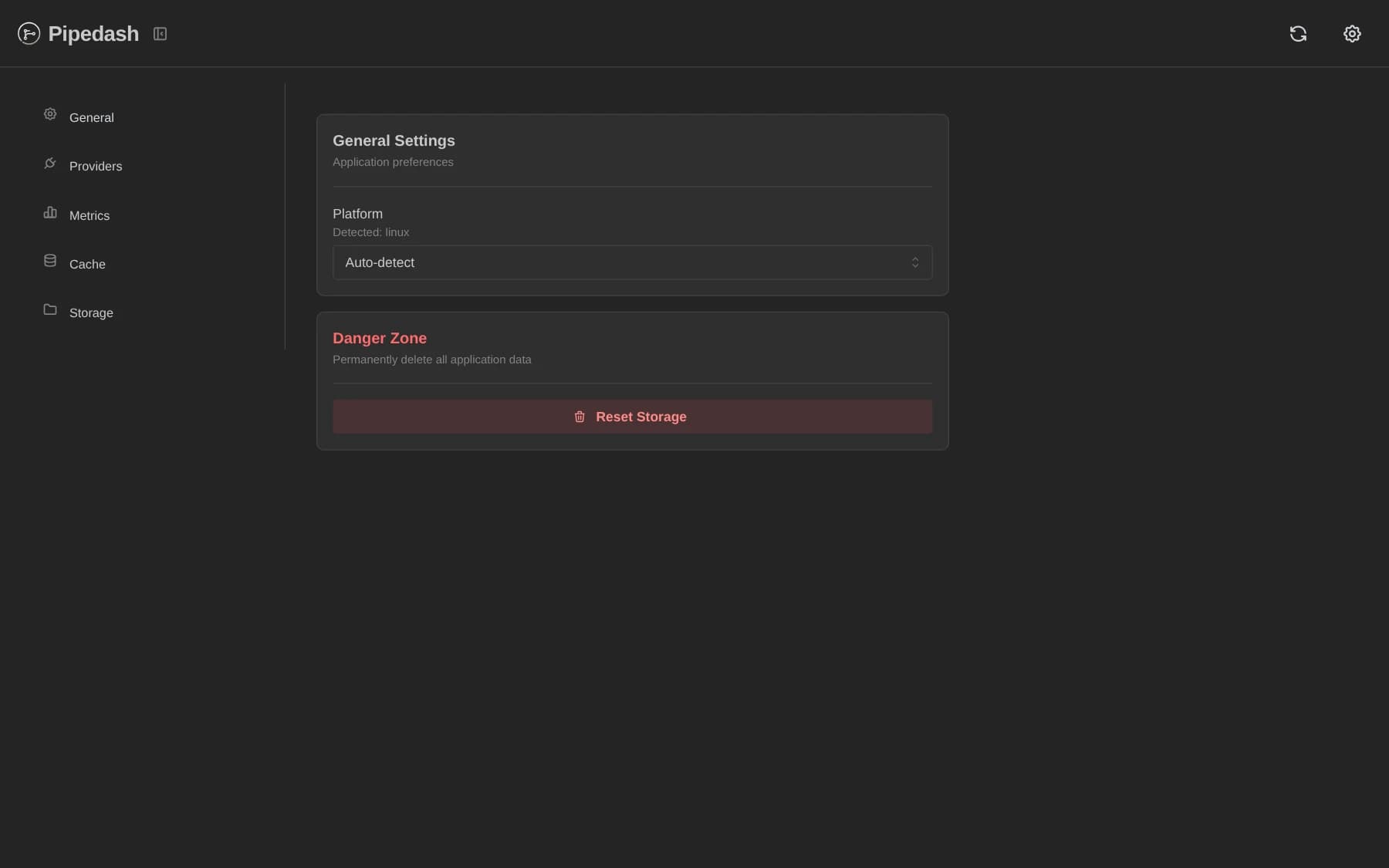
Settings has 5 sections. On a wide window they sit in a sidebar. Below 768 px they become tabs.
| Section | Covers |
|---|---|
| General | Platform override and Reset Storage |
| Providers | Provider list and edits |
| Metrics | Collection and retention, see metrics |
| Cache | Cache statistics and clearing, see cache |
| Storage | Backend, data directory, config file and migration, see storage backends |
Factory reset
Settings, General, Reset Storage removes every provider and clears the pipeline, history and parameter caches. It also flushes all metrics and deletes every stored token, including old per-provider keyring entries. A confirmation dialog says the action cannot be undone.
Updates
The app has no updater. Updating means installing a new release from the downloads page.
Release bundles
Each version tag publishes these bundles to a GitHub release.
| OS | Targets | Bundles |
|---|---|---|
| macOS | Universal | dmg, app |
| Windows | x86, x86_64, ARM64 | nsis installer |
| Linux | amd64, arm64 | deb, rpm, appimage |
There is no MSI bundle. File names follow the release, for example pipedash_0.1.1_universal.dmg and pipedash_0.1.1_amd64.AppImage on release 0.1.1.