
Bitbucket Pipelines
Monitoring of Bitbucket Cloud Pipelines in Pipedash, with branch and custom pipeline triggers and run cancel.
The Bitbucket Pipelines plugin (bitbucket) monitors the latest pipeline run of each selected Bitbucket Cloud repository. It loads run history, starts pipelines on a branch and stops running pipelines.
Requirements
Authentication is HTTP Basic. Pipedash joins the Atlassian account email and a Bitbucket API token.
| Permission | Required | What it unlocks |
|---|---|---|
read:user:bitbucket | Yes | Reading the current user, used to validate credentials |
read:repository:bitbucket | Yes | Repository information and source code access |
read:workspace:bitbucket | Yes | Workspace and workspace permission data |
read:pipeline:bitbucket | Yes | Pipeline runs, steps, logs and status |
write:pipeline:bitbucket | No | Triggering and canceling pipeline runs |
Pipedash groups these into three features. View Pipelines needs the three read permissions on repositories, workspaces and pipelines. Trigger Pipelines and Cancel Pipelines each need write:pipeline:bitbucket.
Configuration
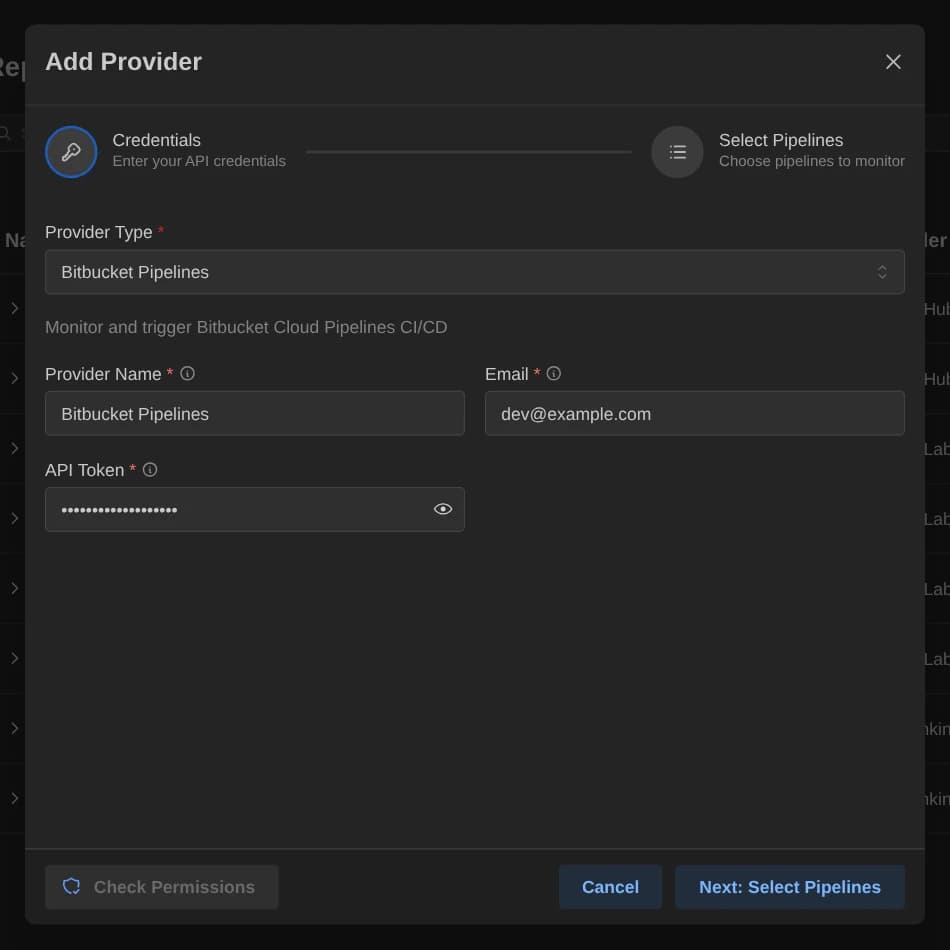
| Key | Type | Required | Default | Description |
|---|---|---|---|---|
email | Text | Yes | None | The Atlassian account email, found in Bitbucket personal settings under Email. |
api_token | Password | Yes | None | Bitbucket API token with Repository:Read, Workspace:Read and Pipelines:Read/Write scopes. |
The config table of the TOML file also takes selected_items, a comma-separated list of repository full names in the form workspace/repo.
Base URL
The endpoint is fixed at https://api.bitbucket.org/2.0. There is no base_url field, so the plugin works with Bitbucket Cloud only.
Pipeline discovery
Organizations are Bitbucket workspaces. Selecting a workspace lists its repositories, and with no workspace Pipedash lists every repository the credentials can reach. Search matches repository name and ID. Pipedash shows the latest pipeline run of each repository in selected_items, or of all repositories when the key is absent.
Details and cancel only find runs among the 100 most recent runs of a repository. Older runs return a not-found error.
Trigger parameters
| Name | Type | Required | Default | Description |
|---|---|---|---|---|
ref | String | Yes | main | Branch name to run the pipeline on. The form labels it Branch. |
custom_pipeline | String | No | None | Name of a custom pipeline to run. |
Cancel
Pipedash stops the pipeline through the Bitbucket API. It refuses completed pipelines and pipelines in the PAUSED or HALTED state. It also refuses pipelines with a step that waits for manual approval. Those pipelines cancel only in the Bitbucket UI.
TOML example
The API token uses the api_token key in the config table.
[providers.bitbucket-team]
name = "Bitbucket Team"
type = "bitbucket"
refresh_interval = 30

[providers.bitbucket-team.config]
email = "${BITBUCKET_EMAIL}"
api_token = "${BITBUCKET_API_TOKEN}"
selected_items = "myworkspace/api,myworkspace/web"
Status mapping
Pipedash maps the pipeline state and, for completed pipelines, the result.
| Pipedash status | Bitbucket state |
|---|---|
success | COMPLETED with result SUCCESSFUL |
failed | COMPLETED with result FAILED or ERROR, or with an unknown result |
running | PARSING, or IN_PROGRESS when the stage is not PAUSED |
pending | PENDING, PAUSED, HALTED, IN_PROGRESS with stage PAUSED, and any other state |
cancelled | COMPLETED with result STOPPED or EXPIRED |
skipped | Not produced by this plugin |