
Storage backends
SQLite and PostgreSQL storage, their files and the data directory, and how to test, validate and switch backends.
Pipedash stores providers, caches, metrics and table preferences in one database. It supports SQLite and PostgreSQL, selected by storage.backend in config.toml. SQLite is the default.
Backend comparison
| SQLite | PostgreSQL | |
|---|---|---|
storage.backend | sqlite | postgres |
| Main database | <data_dir>/pipedash.db | The database in storage.postgres.connection_string |
| Cache objects | <data_dir>/cache/ | PostgreSQL |
| Schema updates | Run when the file opens | Run on connect |
| Tokens | Keyring on desktop by default, otherwise encrypted in the database | Encrypted in the database |
See Token storage for the token row.
SQLite
The database file is pipedash.db inside the data directory. Pipedash creates the directory and file when they are missing.
Metrics live in the same file. Earlier versions kept them in metrics.db, and Pipedash moves them into pipedash.db on upgrade.
PostgreSQL
PostgreSQL needs the backend and the connection string in config.toml.
[storage]
backend = "postgres"

[storage.postgres]
connection_string = "${PIPEDASH_POSTGRES_URL}"
An empty connection string with backend = "postgres" is a validation error. Pipedash runs the PostgreSQL schema updates when it opens the database, and again in the web setup route.
PostgreSQL support is part of the default build. A build without it rejects the backend with PostgreSQL feature not enabled.
PostgreSQL tokens need a vault password. Without one, the token store uses a random password that it does not save, so a restart cannot decrypt earlier tokens. PIPEDASH_VAULT_PASSWORD or storage.vault_password supplies the password.
Data directory
Pipedash resolves the data directory in this order:
storage.data_dirwhen it is not empty.PIPEDASH_DATA_DIR.- The platform data directory plus
pipedash, or.pipedashwhen none exists.
The desktop app uses its app data directory and writes that path into storage.data_dir of its starter config.toml. A server-mode default file uses ./data, and the Docker examples set PIPEDASH_DATA_DIR to /data. storage.data_dir moves the database.
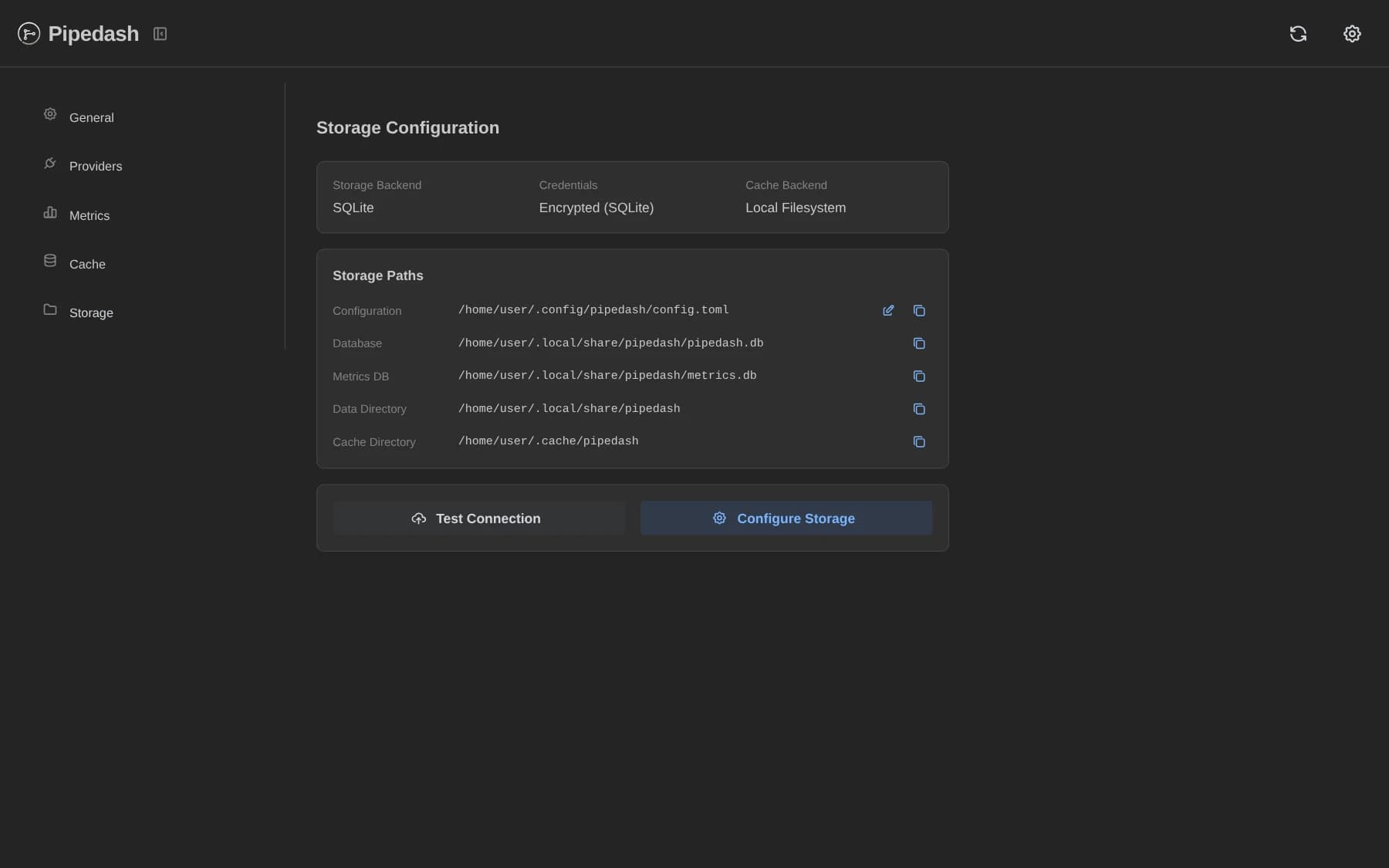
GET /api/v1/storage/paths reports the effective locations: config_file, pipedash_db, data_dir, cache_dir and vault_path.
Target tests and validation
Three checks run before a switch. None of them copies data.
| Check | Route |
|---|---|
| Connection test | POST /api/v1/storage/test-connection |
| Storage config validation | POST /api/v1/storage/validate |
| Migration plan | POST /api/v1/storage/migration/plan |
- Connection test: the Test Connection button in Settings, under Storage, sends the current config. The result names the backend that failed. On the web server the test also runs the PostgreSQL schema updates on the target, so it changes the target database.
- Validation: returns errors, warnings and recommendations. It errors on an empty PostgreSQL connection string and warns when neither
storage.vault_passwordnorPIPEDASH_VAULT_PASSWORDhas a value. - Plan: returns the steps a switch would run. See Setup wizard.
Backend switching
The Configure Storage button in Settings, under Storage, opens the wizard. The wizard handles the backend, the connection string and the data directory. It plans the transfer, runs it, and then saves the config. The transfer moves providers, tokens and cache entries from the old storage to the new one. See Setup wizard for the steps, the migration options and the backup behavior.
Editing backend in config.toml changes only where Pipedash reads, and it copies no data. The Settings page has a config editor that parses and validates the TOML before it saves. A migration moves providers and tokens.