
GitHub Actions
Monitoring of GitHub Actions workflows in Pipedash, with workflow dispatch and run cancel, on github.com or GitHub Enterprise.
The GitHub Actions plugin (github) monitors the workflows of the selected repositories. It shows the latest run of each workflow, loads run history, dispatches workflows and cancels runs.
Requirements
The plugin authenticates with a personal access token. Classic and fine-grained tokens both work. The Add Provider dialog checks which permissions the token has and reports which features it covers.
| Scope | Required | What it unlocks |
|---|---|---|
repo | Yes | Private repository access, workflow listing, run history and status monitoring. public_repo replaces it for public repositories only. |
workflow | No | Triggering workflow dispatch and canceling runs. Without it, Pipedash is read-only. |
read:org | No | Filtering repositories by organization and selecting organization repositories. Without it, only the personal repositories of the token owner appear. |
For fine-grained tokens, Pipedash reports these permissions instead:
| Permission | Required | What it unlocks |
|---|---|---|
| Repository Metadata | Yes | Listing workflows and run history |
| Actions (Read) | Yes | Status monitoring |
| Actions (Write) | No | Workflow dispatch and cancel |
| Organization members and teams (Read) | No | Organization repositories |
Configuration
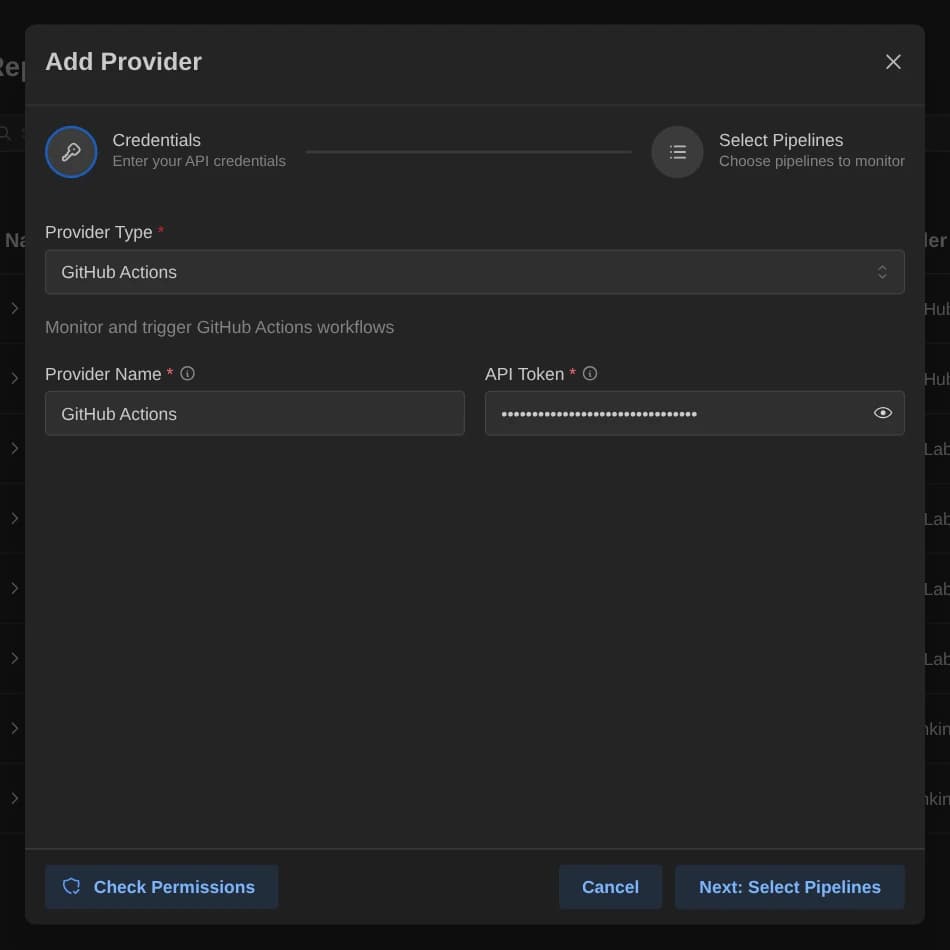
| Key | Type | Required | Default | Description |
|---|---|---|---|---|
token | Password | Yes | None | GitHub personal access token or fine-grained token with repo and workflow permissions. |
Two more keys go in the config table of the TOML file:
selected_items: Comma-separatedowner/reponames to monitor. The older keyrepositoriesworks as a fallback.base_url: The GitHub host. See the next section.
Base URL
base_url defaults to https://github.com. A github.com URL uses https://api.github.com. Any other URL uses <base_url>/api/v3, which is the GitHub Enterprise Server layout. A trailing slash is ignored.
Pipeline discovery
Discovery lists the repositories the token can access. The picker browses by organization or by the login of the token owner, and searches by repository name, ID or description. For each selected repository, Pipedash shows the latest run of each workflow. A repository that fails to load is skipped. An empty selected_items shows the error No repositories configured.
Trigger parameters
| Name | Type | Required | Default | Description |
|---|---|---|---|---|
ref | String | Yes | main | Branch, tag or commit SHA to run the workflow on. |
Every other input key goes to GitHub as a workflow inputs value in the dispatch request.
Cancel
Pipedash cancels the run through the GitHub API. This needs the workflow scope.
TOML example
[providers.github-work]
name = "GitHub Work"
type = "github"
token = "${GITHUB_TOKEN}"
refresh_interval = 30

[providers.github-work.config]
base_url = "https://github.com"
selected_items = "hcavarsan/pipedash,hcavarsan/kftray"
Status mapping
Pipedash maps the run status and conclusion pair.
| Pipedash status | GitHub state |
|---|---|
success | completed with conclusion success |
failed | completed with conclusion failure |
running | in_progress or queued |
pending | Any other combination, for example completed with conclusion timed_out |
cancelled | completed with conclusion cancelled |
skipped | completed with conclusion skipped |